

The TV app on your television is called Hot Player. Please follow the simple steps below.
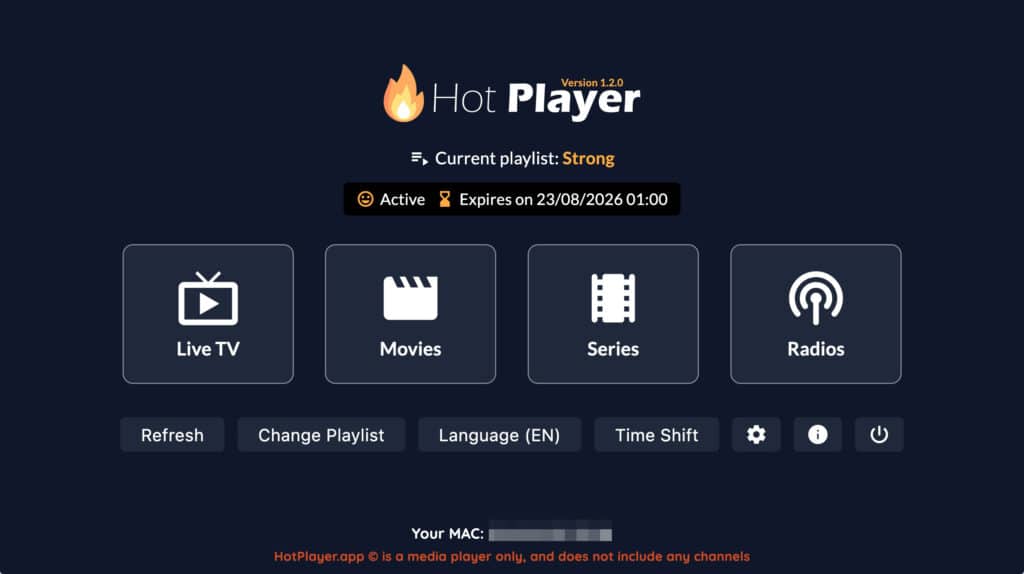
1. Open Hot Player
Using the TV remote, open the app called Hot Player.
2. Choose What You Want to Watch
When the app opens, you will see the main menu with these options:
- Live TV, for regular TV channels
- Movies, for available films
- Series, for available TV series
- Radios, for radio stations
3. Watching Live TV
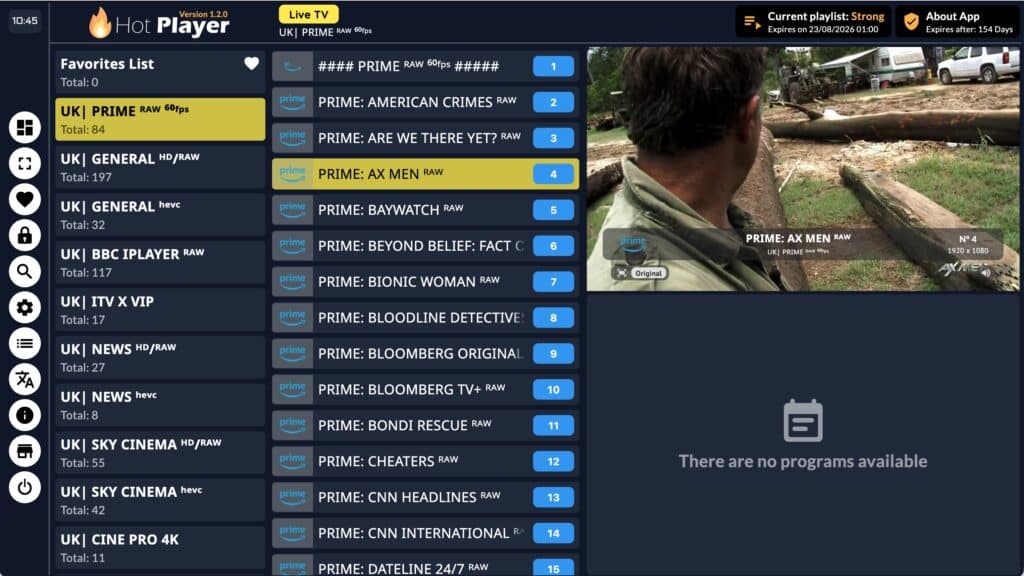
Select Live TV if you want to watch television channels.
On the left side, you will see different channel categories, such as UK channels, news, movies, and more.
Select a category, then choose a channel from the list in the middle of the screen.
4. Watching Movies
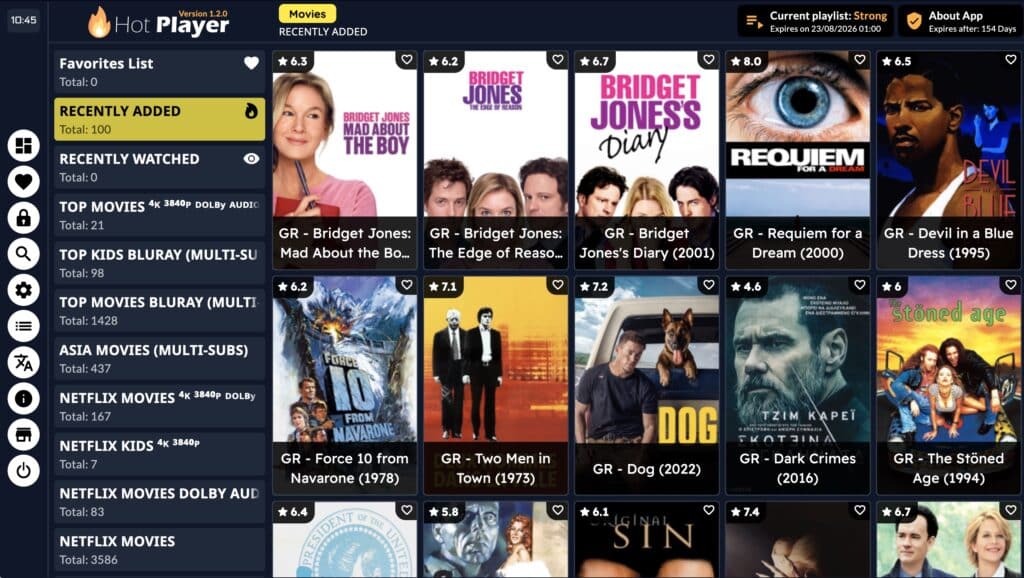
Select Movies from the main menu.
You can browse the movie categories on the left side, such as recently added, top movies, Netflix movies, kids movies, and more.
Choose a category, then select the movie you want to watch.
5. Watching Series
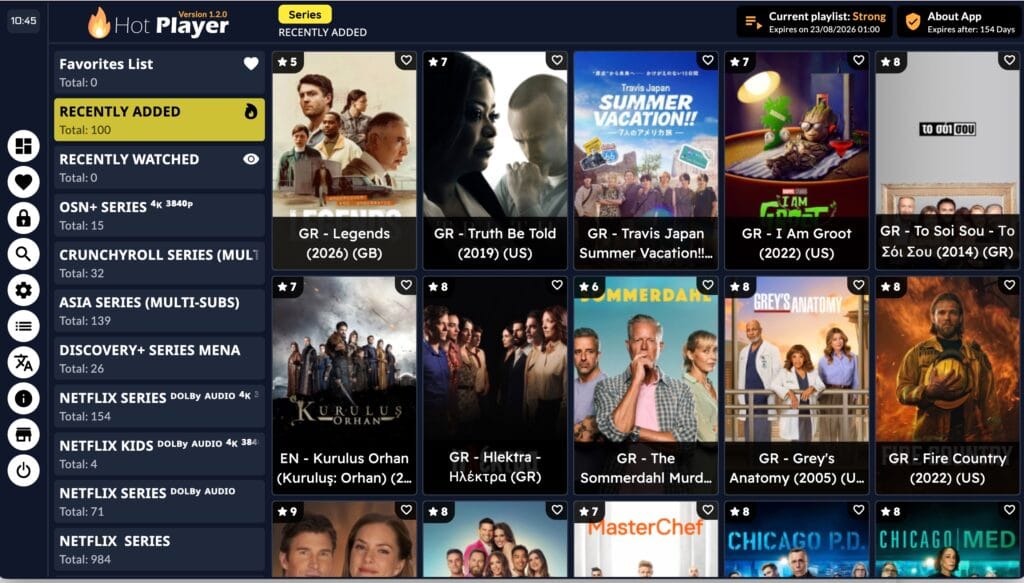
Select Series from the main menu.
You can browse the series categories on the left side, such as recently added, Netflix series, kids series, and more.
Choose a category, then select the series you want to watch.
6. If Something Does Not Load
If a channel, movie, or series does not load, please try another option first. Some content may occasionally be unavailable.
You can also press Refresh from the main menu and try again.
7. Important Note
Please do not change the playlist settings or app settings. This may stop the app from working correctly.
8. Need Help?
If you have any issues, please contact us by sending an email through our help page here: https://ellocyprus.com/help/.
You can also contact us using the phone number provided in your check-in instructions.